Paying your rent with Mietto
Your landlord keeps the rent record in Mietto. After you pay, you upload the receipt and your landlord confirms it. You end up with a record of every month, confirmed by both of you.
- 2 minutes to set up
- 1 minute a month
- Free during the beta
The orange ring in each picture marks what to tap.
-
1
Open the invitation
about 1 minute
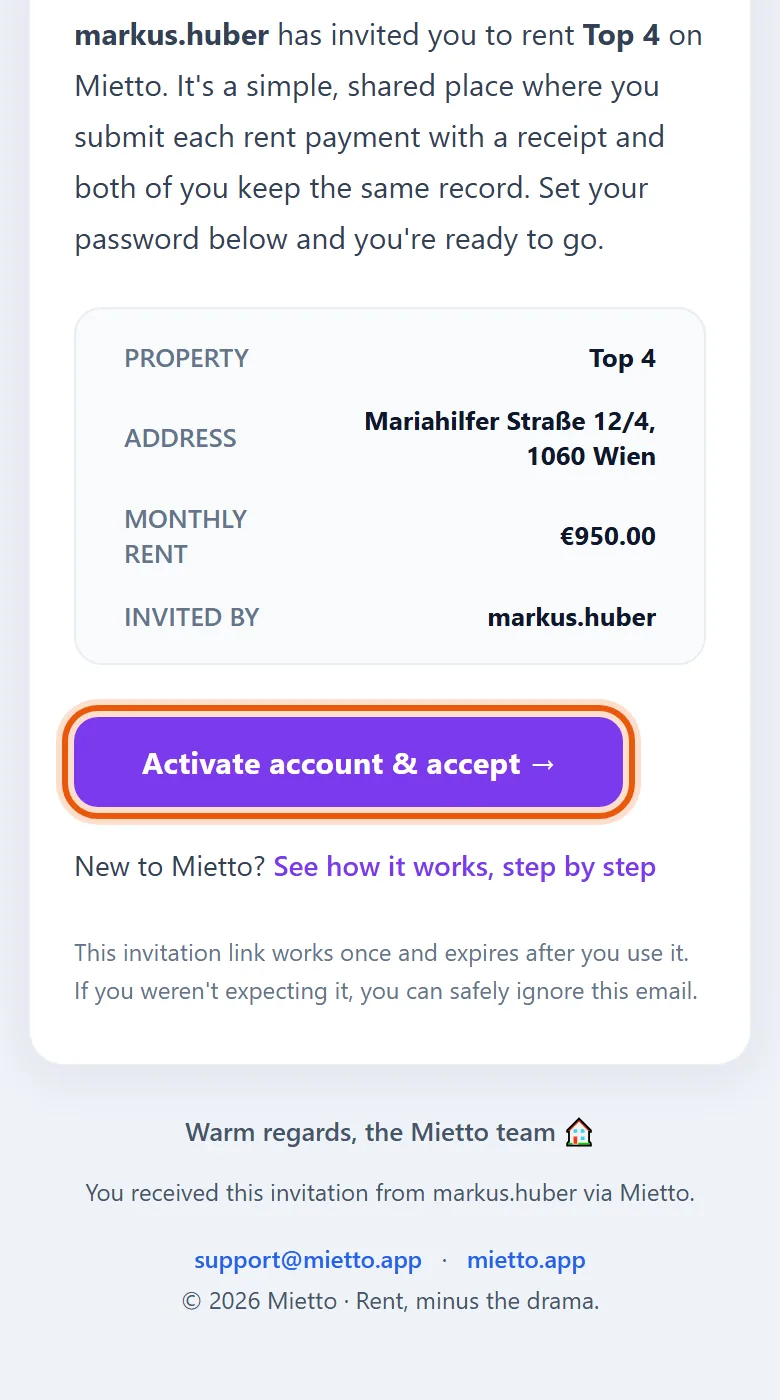
Your landlord invites you by email, or sends you the link on WhatsApp. Open it and tap Activate account & accept.
Already on Mietto? Then you see Confirm & Accept Invitation instead, and one tap is all it takes.
-
2
Choose a password
about 1 minute
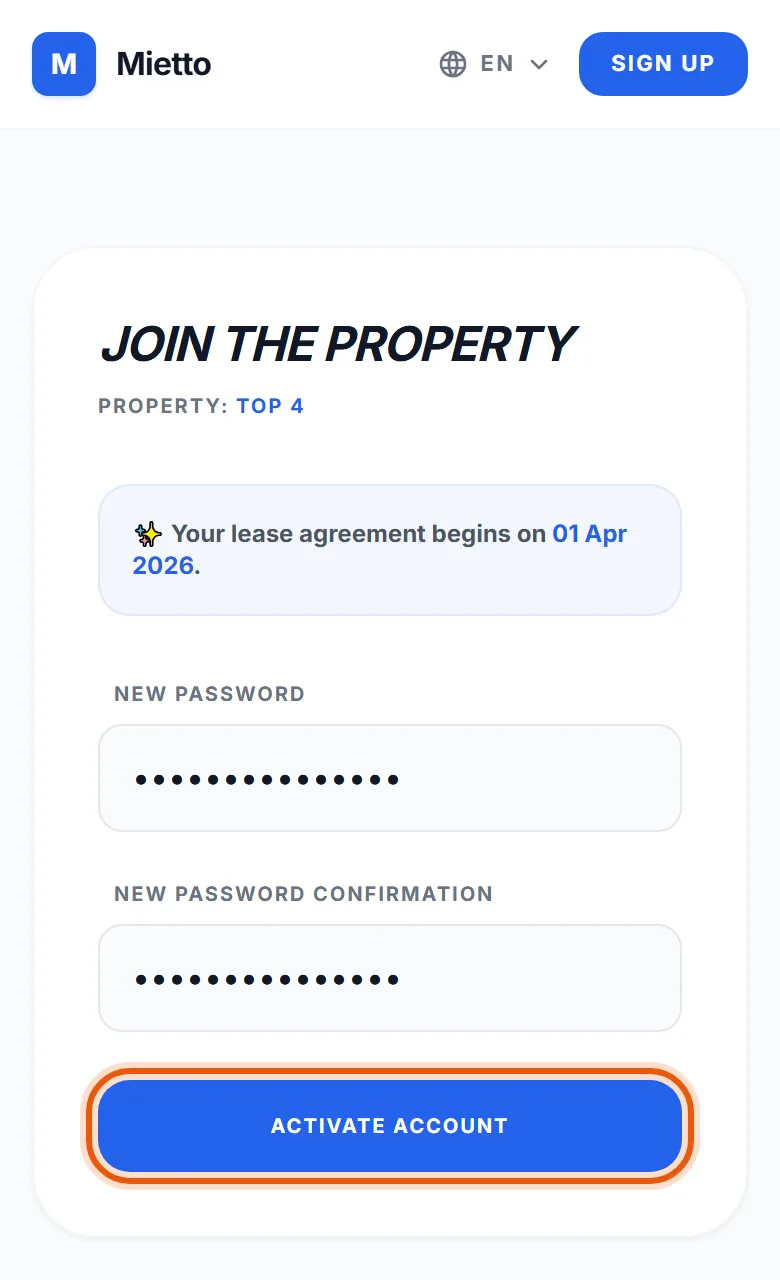
That is your whole signup, and there is nothing to install. Type a password twice and tap Activate Account.
Next time, sign in with your email address as the username.
-
3
Tell your landlord you've paid
each month
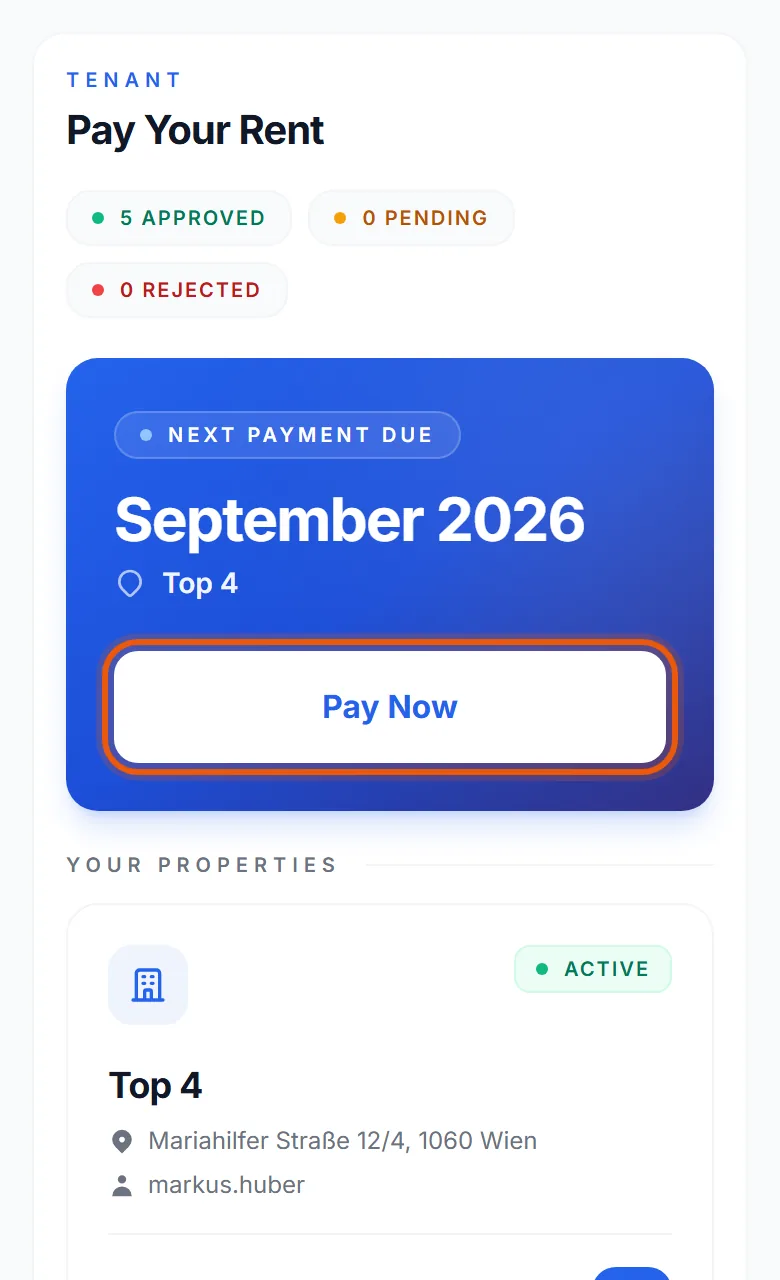
Pay your rent the way you always do, by bank transfer or in cash. Then open Mietto and tap Pay Now.
Mietto never moves money: Pay Now only tells your landlord that you have paid.
-
4
Pick the month
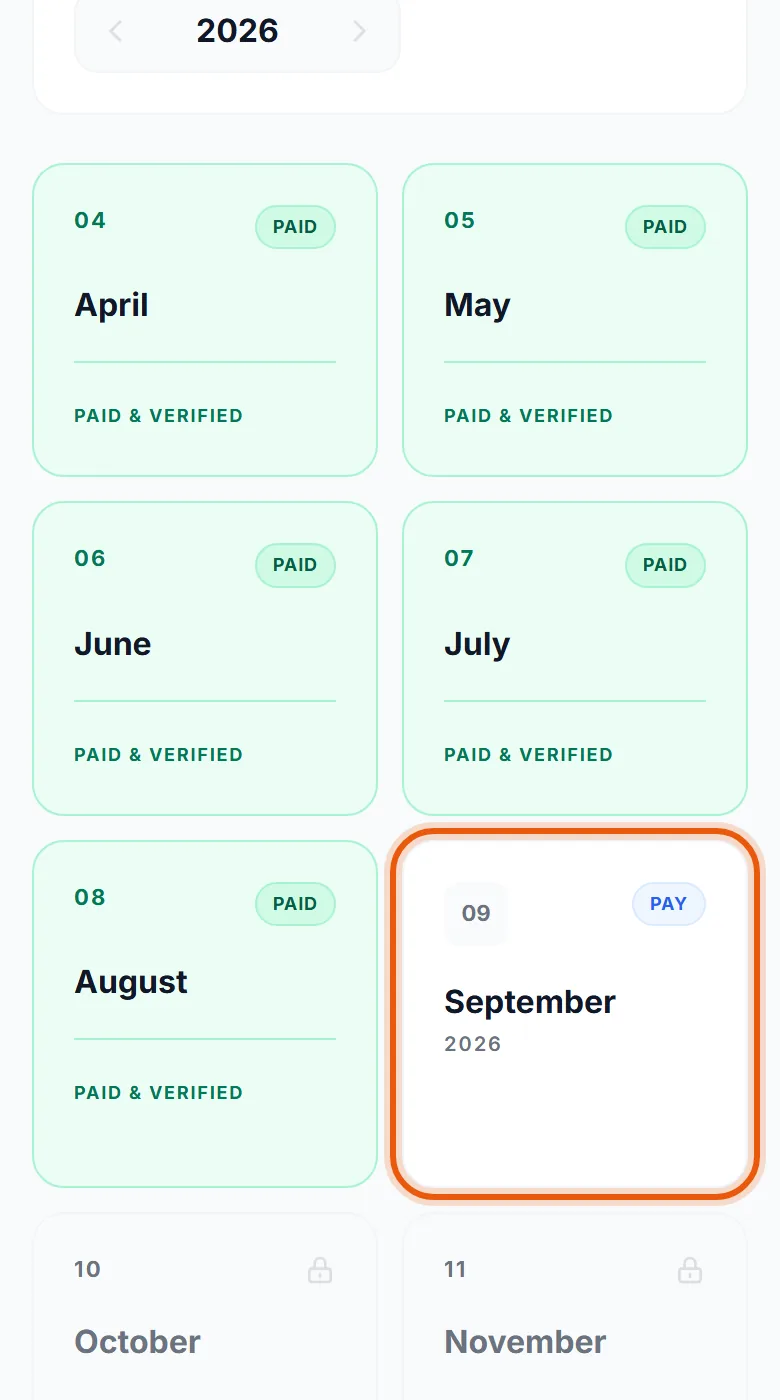
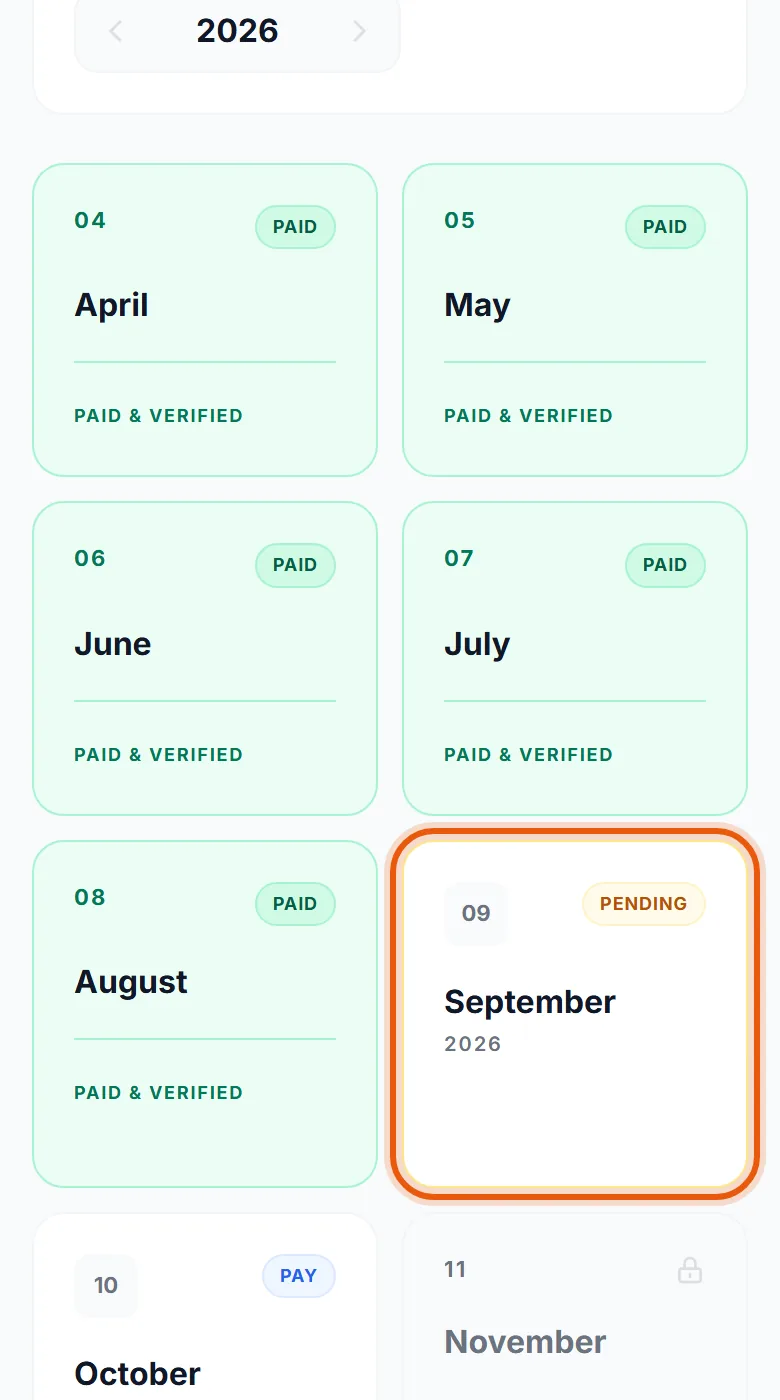
Tap the month you paid for. The months your landlord has confirmed say Paid & Verified.
-
5
Upload the receipt
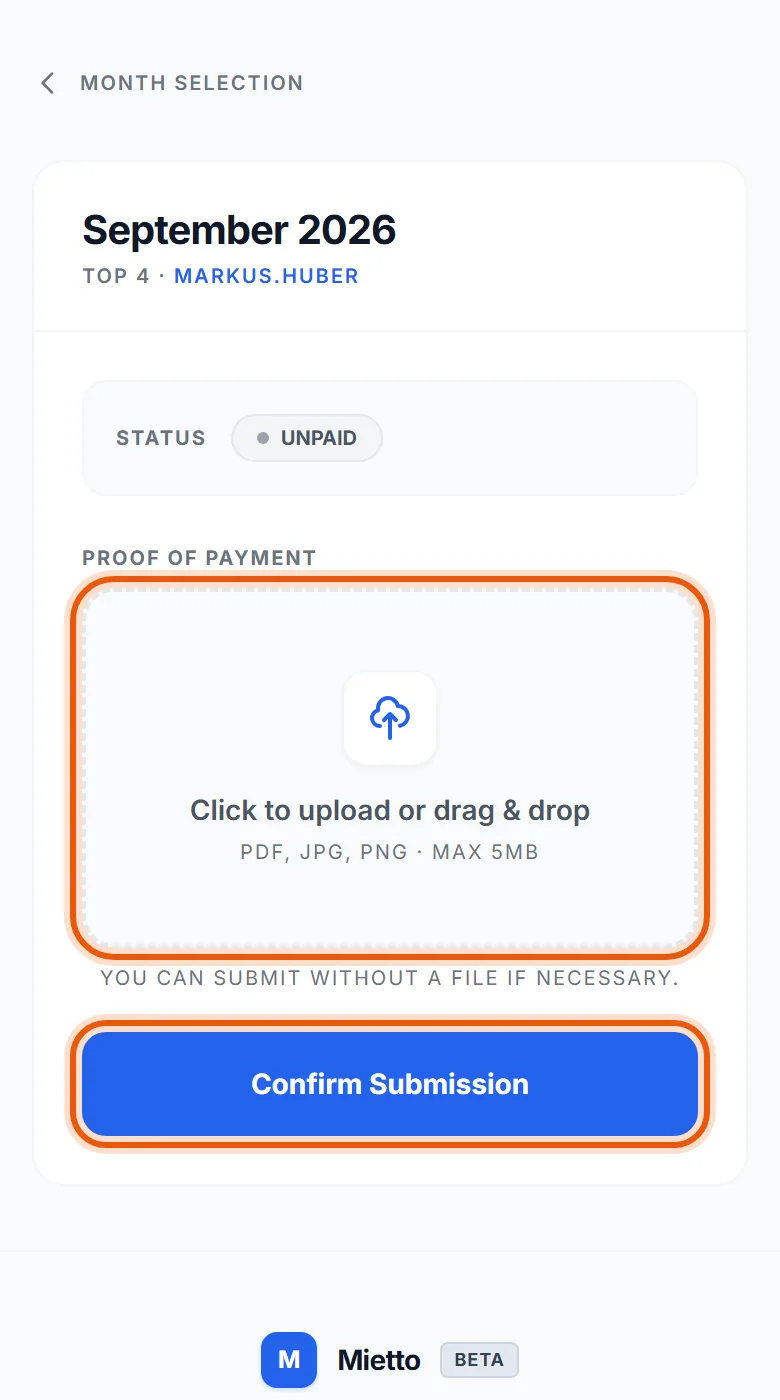
Tap the box and choose the receipt: a screenshot or PDF from your banking app (PDF, JPG or PNG, up to 5 MB). Then tap Confirm Submission.
Paid in cash? You can submit without a file.
-
6
Your landlord confirms it
The month says Pending until your landlord has checked it, then Paid & Verified. Either way, you get an email.
If something doesn't match, your landlord rejects it with a note. You see the note on that month and can upload again.
-
7
Your record, whenever you need it
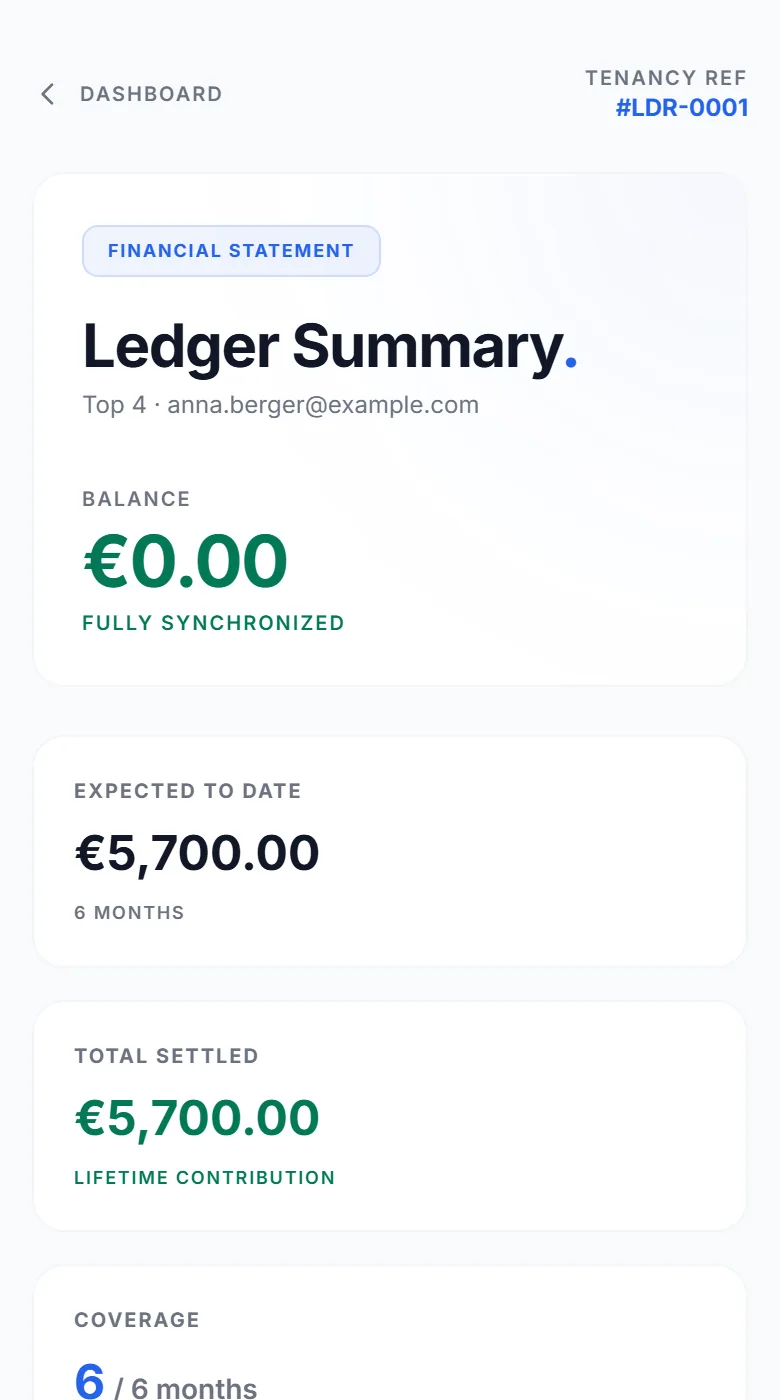
Under My Rentals, tap Financial Statement. It lists every month you have paid, confirmed by your landlord, with the receipt behind each one.
Useful when a new landlord or an office asks for proof that you pay your rent.
Good to know
Reminders
On the 1st of each month Mietto reminds you, and on the 5th again if nothing has come in.
Your language
Mietto speaks English, German and Greek. Pick yours at the top of any page, and the emails follow it.
Questions
Ask your landlord, or write to [email protected].
What Mietto doesn't do
The rent never passes through Mietto: you still pay your landlord directly. Mietto doesn't connect to your bank.
Know someone who rents out a flat? Send them the setup guide for landlords.